Ի՞նչ անել, եթե հեռախոսը ջուրն է ընկել
Երբեմն նույնիսկ մի քանի կաթիլ ջուրը կամ խոնավ մակերեսը բավական են, որ Ձեր հեռախոսը փչանա կամ սկսի վատ աշխատել: Իսկ ջուրն ընկնելու մասին արդեն ավելորդ է խոսել: Իհարկե, լավագույն տարբերակն այս դեպքում մասնագետին դիմելն է: Իսկ ի՞նչ անել, եթե այդպիսի հնարավորություն չունեք:
AdMe.ru-ն առաջարկում է 10 խրամանակություն՝ թրջված հեռախոսին առաջին օգնություն ցույց տալու համար:
1. Հեռախոսը պետք է հնարավորինս արագ հանել ջրից և անմիջապես անջատել:
Բանն այն է, որ ջուրը հեռախոսի մասերի մեջ է թափանցում հաշված վայրկյանների ընթացքում: Մի՛ միացրեք հեռախոսը, քանի դեռ չեք համոզվել, որ այն չորացել է: բացի դրանից, հեռախոսի մեջ լցված ջուրը կարող ա կարճ միացում առաջացնել:

2. Հեռախոսը ջրից հանելուց անմիջապես հետո հանեք կափարիչը և մարտկոցը:
Սա նվազեցնում է ներքին սխեմաների վնասվելու ռիսկը: Զգուշորեն մաքրեք հեռախոսն ու դրա մասերը թղթե անձեռոցիկով կամ նուրբ կտորով:

3. Հանեք սիմ-քարտը:
Այն պետք է սրբել, մի կողմ դնել և մի որոշ ժամանակ թողնել, որ չորանա, մինչև հենց հեռախոսը պատրաստ կլինի օգտագործման:

4. Անջատել և հանել բոլոր արտաքին սարքերը,
ինչպիսիք են ականջակալները, հիշողության չիպերը և այն ամենն, ինչ կարող է փակել հեռախոսի անցքերը՝ պատյանները և էկրանը պաշտպանող շերտերը:

5. Եթե ձեռքի տակ փոշեկուլ ունեք, դրանով քաշեք ջուրը:
Ջրի մնացորդները հեռացնելու համար 20 րոպեի ընթացքում փոշեկուլով քաշեք բոլոր մասերի ջուրը: Իսկ հեռախոսը փոշեկուլի մոտ պահեք բոլոր կողմերից՝ անընդհատ շրջելով այն, սակայն շատ մոտ մի՛ պահեք փոշեկուլի խողովակին, այլապես կառաջանա ստատիկ էլեկտրականություն, ինչն ավելի վատ է հեռախոսի համար:

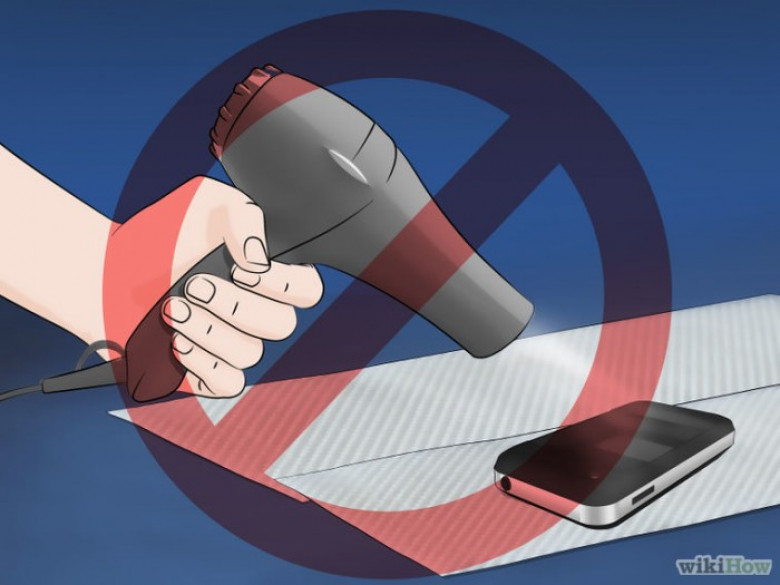
6. Երբեք մի՛ օգտագործեք վարսահարդարիչը՝ հեռախոսը չորացնելու համար՝ նույնիսկ մեղմ ռեժիմով: Այսպես Դուք կարող եք արտաքին խոնավությունն ուղարկել հեռախոսի ավելի խորը մասերը, ինչը հատկապես վտանգավոր է էլեկտրական մասերի համար: Բացառված չէ, որ կարող եք հալել որոշ մասեր:

7. Կարող եք փորձել չորացնել հեռախոսը՝ դնելով այն չոր բրինձով լի տոպրակի մեջ՝ 2-3 օրից ոչ պակաս ժամանակով: Բրինձը լավ է կլանում խոնավությունը: Սա անելուց առաջ հեռացրեք կափարիչը, մարտկոցը և դրանք նույնպես դրեք տոպրակի մեջ: Մինչ հեռախոսը չորանում է, այն պետք է ժամանակ առ ժամանակ շրջել այն: Բրինձի փոխարեն կարող եք օգտագործել սիլիկագել, ինչը հաճախ դնում են կոշիկի կամ վաճառվող այլ ապրանքների մեջ: Այն ավելի արդյունավետ է, քան բրինձը, քանի որ ավելի լավ է ներծծում խոնավությունը:

8. Հեռախոսը դրեք արևոտ տեղում, որպեսզի բոլոր անցքերը չորանան: Կարող եք այն դնել ներծծող անձեռոցիկի կամ թղթե սրբիչի վրա, եթե նույնիսկ մինչև այդ չեք չորացրել փոշեկուլով կամ դրել բրինձի մեջ: Այն կօգնի ներծծել մնացած խոնավությունը:

9. 24 ժամը լրանալուց հետո համոզվեք, որ արտաքինից հեռախոսը չոր տեսք ունի: Եթե կարծում եք, որ այն բավականաչափ չորացել է, կարող եք փորձել մարտկոցը տեղը դնել և փորձել միացնել այն: Ուշադրություն դարձրեք հնարավոր տարօրինակ ձայներին և աղմուկին, որոնք կարող են լինել միացնելու ժամանակ: Եթե դրանք առկա են, ուրեմն հեռախոսը նորմալ չի գործում:

10. Եթե հեռախոսն արտաքինից չոր է, բայց չի միանում, կարող է մարտկոցը նստած լինել, լիցքավորման միացրեք, հետո նորից փորձեք: Եթե դա էլ չի օգնում, այնուամենայնիվ փորձեք դիմել մասնագետի:
Թարգմանությունւը՝ Past.am-ի:
 Ucom Supports AI-Powered Camera Installation for Nature Conservation
 Rate.Trading: Currency Exchange on a New Digital Platform
 Ralph Yirikian on the Cost of Digital Transformation at the 13th Regional HR Conference
 IDBank and the “Dekavva Fund” Stand with People from Artsakh
 From Car Selection to Purchase – All in One Place: Ameriabank to Present its Myar.am Platform and S...
 Ucom and FAST Bring Together Artificial Intelligence and Green Innovation
 Idram's "City of Good Deeds": From Teamwork to Real Charitable Projects
 You Can Now Pay with Idram on Glovo: The Long-Awaited Partnership Is Now a Reality
 Converse Bank is Lead Sponsor of the BACEE International Banking Conference