Ստեղնաշարի այս հրաշք կոճակի մասին շատերը չգիտեն, այն զգալիորեն կհեշտացնի մեր աշխատանքը (տեսանյութ)
Քչերը գիտեն, որ ստեղնաշարի վրա անհրաժեշտություն է Win կոճակը: Դրա օգտագործումը կարող է մեծապես պարզեցնել ամենօրյա համակարգչային աշխատանքը: Մյուս կոճակների համեմատ այն հրաշալիքներ է գործում: Պատճենիր այս գործողությունները և նորովի սկսիր աշխատանքդ համակարգչով:
Անհրաժեշտ գործողություններ.
1. Win
«Սկիզբ» մենյուի ազդարարում
2. Win + B
Գործողությունը հնարավորություն է տալիս համակարգում ընտրել ցանկալի պատկերակը, նաև հնարավորություն՝ միանալու տարբեր պատկերակների:
3. Win + D
Այս գործողությունը ցույց է տալիս “Desktop”-ը
4. Win + E
Սա բացում է Windows Explorer-ը:
5. Win + F
Այս համադրությունը թույլ է տալիս բացել “Որոնել”-ը՝ առանց օգտագործելու համակարգչային մկնիկը:
6. Win + L
Սա անջատում է համակարգիչը
7. Win + M
Եթե ցանկանում եք փակել բոլոր պատուհանները, օգտվեք այս համադրությունից:
8. Win + P
Այն թույլ է տալիս անցնել մոնիտորի կամ պրոյեկտորի ահագործման լրացուցիչ եղանակի
9. Win + R
Բացում է “Run” երկխոսությունը:
10. Win + T
Այն ակտիվացնում է «Taskbar»-ը
11. Win + U
Հնարավորություն է տալիս բացել «Հատուկ հնարավորությունների կենտրոնը»:
12. Win + X
Windows 7-ում այս համադրությունը բացում է բջջային հավելվածների կենտրոնը, իսկ Windows 8 -ում՝ “Start” ընտրացանկը:
13. Win + Pause
Բացում է «Properties» համակարգը:
14. Win + F1
Այս համադրությունը բացում է Windows օգնություն:
15. Win + Ctrl + 1 + 2 + 3
Ապահովում է նույն ծրագրի շրջանակներում տարբեր պատուհանների անցումը :
16. Win + Стрелка вверх
Այս կոճակների համադրությունը թույլ է տալիս ընդլայնել պատուհանը դեպի լիարժեք էկրան:
17. Win + սլաքը ձախ կամ աջ
Փոքրացնում է պատուհանը էկրանի աջ կամ ձախ կողմում:
18. Win + Shift +սլաքը ձախ կամ աջ
Այն թույլ է տալիս տեղափոխել պատուհանը այլ մոնիտորի վրա;
19. Win +անցում
Windows 7-ում այս համադրությունը թույլ է տալիս անցնել «Desktop»,իսկ Windows 8-ում՝ անցնել դասավորության միջև:
20. Win +կոճակ+
Այս համադրությունը մեծացնում է էկրանը:
21. Win +կոճակ-
Հնարավորություն է տալիս փոխել չափսը:
Մանրամասները առաջարկում ենք դիտել տեսանյութում:

 Unibank Issues AMD and USD Bonds with Annual Coupon Rates of 10.3% and 6%
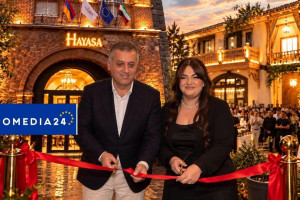 A new and fantastic story was born in the heart of Yerevan—the spirit of the old city at Hayasa Hote...
 Rate.Trading: Currency Exchange on a New Digital Platform
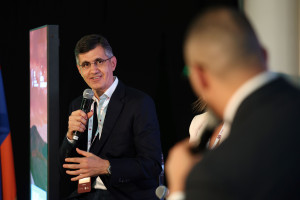 Ralph Yirikian on the Cost of Digital Transformation at the 13th Regional HR Conference
 From Car Selection to Purchase – All in One Place: Ameriabank to Present its Myar.am Platform and S...
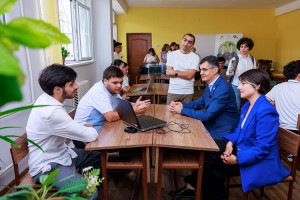 Ucom and FAST Bring Together Artificial Intelligence and Green Innovation
 Idram's "City of Good Deeds": From Teamwork to Real Charitable Projects
 You Can Now Pay with Idram on Glovo: The Long-Awaited Partnership Is Now a Reality
 Converse Bank is Lead Sponsor of the BACEE International Banking Conference
 Artur Hovhannisyan and the Ambassador of Bulgaria to Armenia discussed a number of programs of mutua...